

ArtCraft: a composition environment, not just generation
The main difference compared to generators based exclusively on prompts is the presence of an environment in which to organize the elements of the image. Through the 2D canvas you can combine reference images and masks, add or remove elements and intervene on specific areas by inpainting, without necessarily having to regenerate the entire composition.
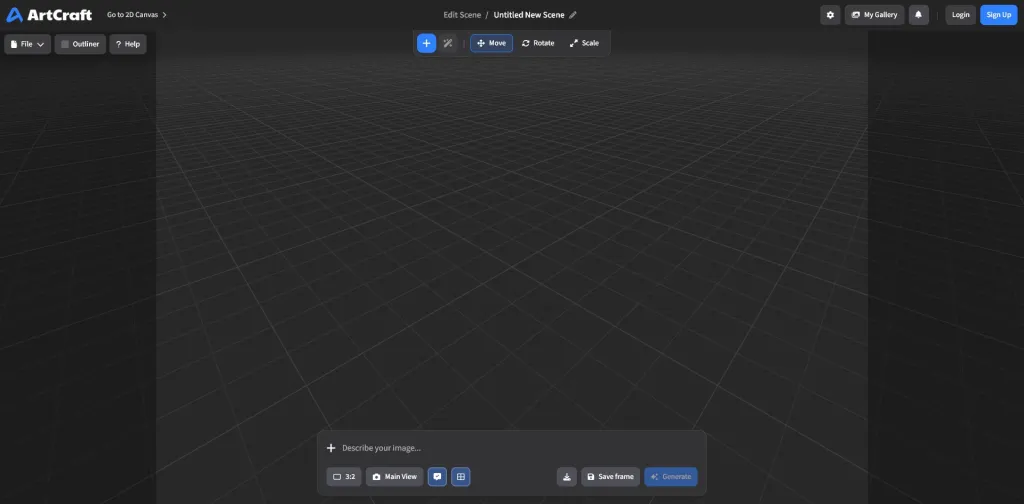
Alongside the two-dimensional tools, ArtCraft features a 3D editor in which to place objects, set the camera and define a shot. The scene becomes a reference for the generative model, to which the production of the final image is entrusted.
The principle is simple: instead of just describing the position of objects, we try to define it directly in space. The prompt remains useful for indicating materials, lighting, atmosphere and visual characteristics, but it is no longer the only means of communicating the user’s intentions.
What applications for architectural representation?
For an architect, the interest of this type of environment mainly concerns the visualization and communication phases of the project. Think, for example, of the representation of an interior: starting from a view of the three-dimensional model, the designer could organize references relating to materials, furnishings and lighting, and use them to experiment with different visual solutions.
A second possibility concerns localized changes. Through the masks, you can ask the model to intervene only on a part of the image, for example to vary a material or replace a piece of furniture, trying to keep the rest of the composition unchanged. Even the preliminary control of the camera can be interesting, because point of view and spatial relationships are part of the representation choices.
It is important, however, to distinguish control of composition from geometric precision. ArtCraft is not BIM software and does not replace Rhino, SketchUp or other modeling tools. Even when a 3D scene is used as a reference, the result remains an AI-generated image, which can introduce unexpected changes or interpretations. The correspondence with the project must therefore be verified.
The examples described are possible applications of the functions documented by the platform, not the results of direct experimentation on an architectural project.
A single environment, different models
ArtCraft allows you to use several generative models in a single environment. In recent years, working on AI images has often required switching between applications: one for generating, one for editing, and another for animating. The platform tries to bring together at least part of these operations, separating the organization of the scene from the choice of the model that produces the result.
This aspect suggests a broader change: the AI model does not necessarily coincide with the software in which one works, but can become one of the services available within it. ArtCraft presents itself as an open source project; However, the access conditions and costs of generative models must be verified on a case-by-case basis, because they may depend on the services used.
Towards generative tools closer to the designer’s work?
ArtCraft was not created specifically for architecture and many of its functions are aimed at the production of visual content. Precisely for this reason it is an interesting case: it shows how the evolution of generative AI does not only concern the quality of the images, but also the tools through which the user can guide their construction.
For those who design, it means combining textual description with more familiar operations: positioning objects, defining a shot, organizing references, selecting elements and intervening on individual parts of the representation. It is not yet a control comparable to that of a modeling software, but it indicates a direction: the prompt remains important, without having to be the only means of communicating with a generative model.
The weekly column “Architectural Prompting” is edited by experts Luciana Mastrolia, Giovanna Panucci and Andrea Tinazzo
>> If you are interested in these topics, also sign up to the free Linkedin Newsletter AI & Design for Technicians, we’ll talk about it here!