

Dear readers, today I would like to return to some Practical tips who can return to us very useful as architects, especially in the phase of View and postproduction. With the arrival of the Version 7 of Midjourneywe have seen a remarkable leap in quality in the performance of the images. So why not really use it To our advantageeven in daily work?
In this article I bring you a concrete examplesimple and replicable, which can be a Excellent ally for those who work with render and collage. We are talking about a often underestimated but fundamental thing: Texture. How many times have we found ourselves looking for that precise materialjust to find ourselves with the usual free bookstoreslimited, not very refined or all the same?
So here’s the idea: Why not use Midjourney to generate customized textures, ready for viewing? With some precautions and the right prompts, we can obtain high quality personalized patterns, even Seamless – perfect for our projects.
>> If you want to receive news like this directly on your smartphone subscribe to our new Telegram channel!
Why use Midjourney to create personalized textures?
Those who work in the world of the project know it well: The textures make the difference.
They can transform a flat image into something credible, atmospheric, detailed. But often, when it comes to finding Free textures For the postproduction Oi render, we come up with the same problems:
- limited bookcases,
- unconvincing materials,
- low quality files.
That’s why it’s worth Take advantage of Midjourney’s power also in this area. With version 7 and the use of the command –Ililewe can generate Seamless texture high quality, think to be repeated without visible edgesperfect for funds, surfaces, material plans, patterns applicable in our visuals.
How do you write a prompt for a texture?
To start, a prompt is enough simple and well structured.
These are the fundamental elements to be included:
- Type of material → eg. Wood, Corten, Marble
- Visual characteristics → color, finish, age, patterns, atmosphere
- Expected use → Floor, wall, external, modern interiors etc.
- Keyword “Seamless” → helps Midjourney to understand that the texture must be repeatable
- Parameter -Tile → essential to obtain a perfectly replicable image
The addition of the Word “Seamless” in the text of the prompt that of the parameter –Ilile It makes the image more likely to be used in post-production or rendering without visual interruptions. Let’s see some examples with its prompt to use.
1. Natural light poplar (for bright interiors)
/Imagine Light Poplar Wood Texture, Warm Tone, Soft Grain, Seamless -Tile -ar 1: 1 –V 7
2. Natural corten steel
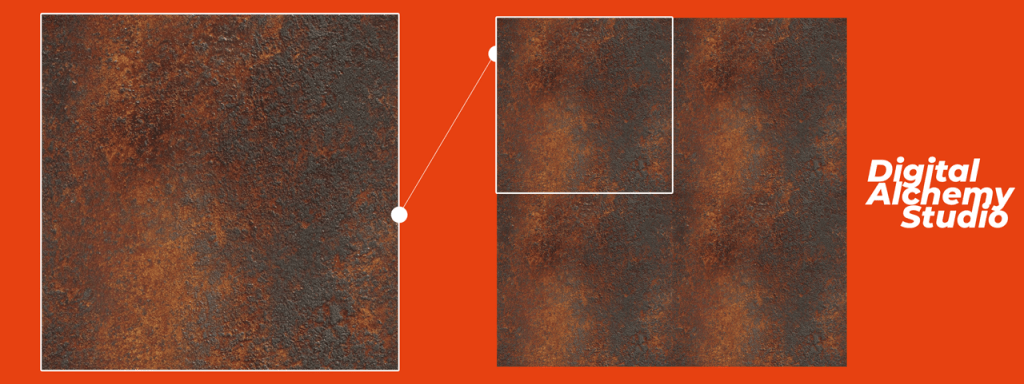
/Imagine Corten Steel Texture, Rusted Surface, Orange-Brow Tones, Seamless, High Detail–1: 1 -v 7
3. Dark parquet in oak
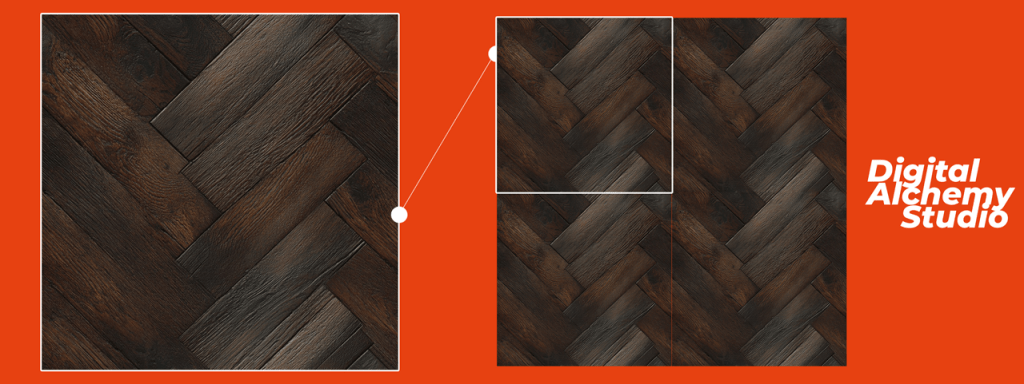
/Imagine Dark Oak Parquet Texture, Elegant Wooden Floor, Matte Finish, Seamless -Tile -ar 1: 1 –v 7
Tips bonus
1. USA – SREF to get textures even more similar to reality: if you want to get a textures that approach a specific material as possibleyou can also use the –Sref command, or Style Reference. How does it work? You just have to glue the link of an image (it can be one Photo found online or even a shot of your) inside the prompt, and Midjourney will use that as a stylistic reference To create the texture.
Example: /Imagine Natural Oak Wood Seamless Texture -Sref (https: //… ..) -ar 1: 1 –v 7
This trick allows you to have even greater control: You can replicate a material that you already use in your renderings, or approach as much as possible to an already existing real texture. Perfect for having consistency between project and viewing.
2. If the result generated seems to you too close – For example with a too dominant detaillike a too central wood node or too evident repetitive pattern – you can use the function Zoom Out 2x to get a wider and more balanced view of the material.
This allows Midjourney by return the texturegiving more I breathe the frame and generating a more useful image during application. You can activate the zoom out by clicking on the option Zoom Out 2x directly on the generated image. It is particularly useful with wooden textures, marble or natural surfaces, where visual elements must be distributed harmoniously.
I am waiting for you at the next newsletter with new tests, ideas and useful tools to bring the Ai more and more within our daily work.
The weekly section “Architectural Prompting” is curated by the experts Luciana Mastrolia, Giovanna Panucci and Andrea Tinazzo
>> If you are interested in these issues, also subscribe to the Free LinkedIn Newsletter Ai & Design for Technicianslet’s talk about it here!